Case study · Mobile · Navigation
A route and navigation app for drivers.
01Overview
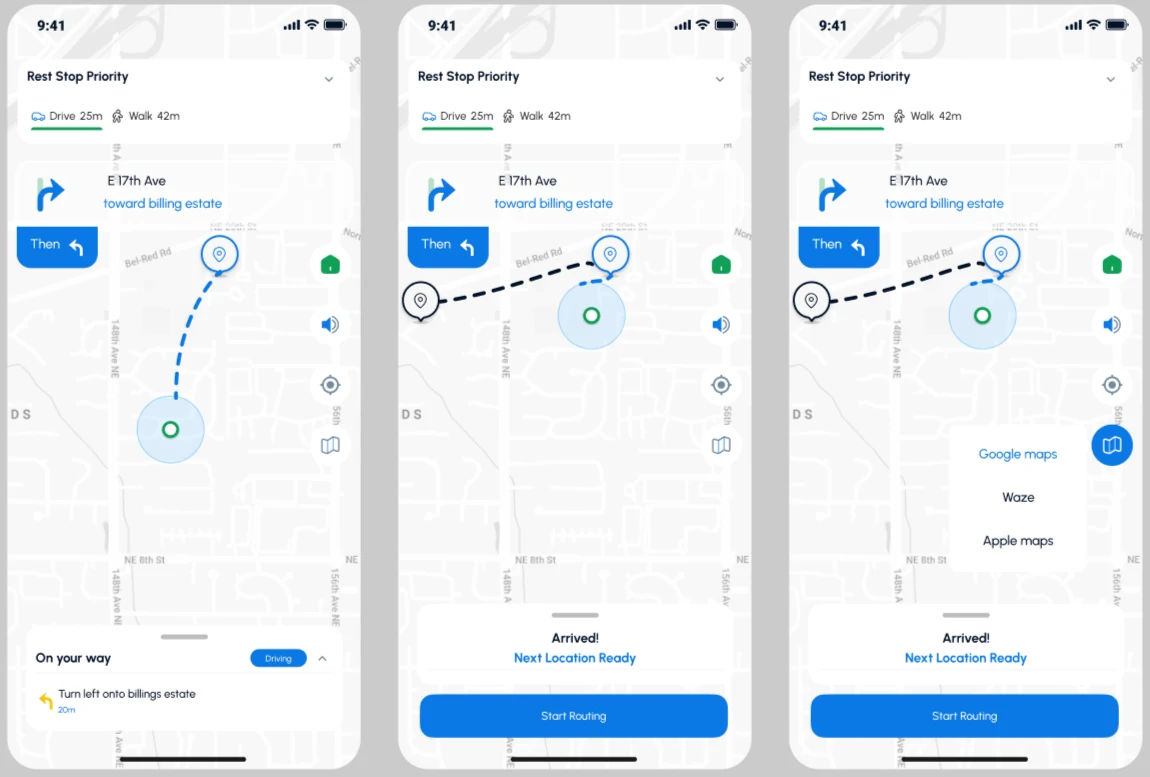
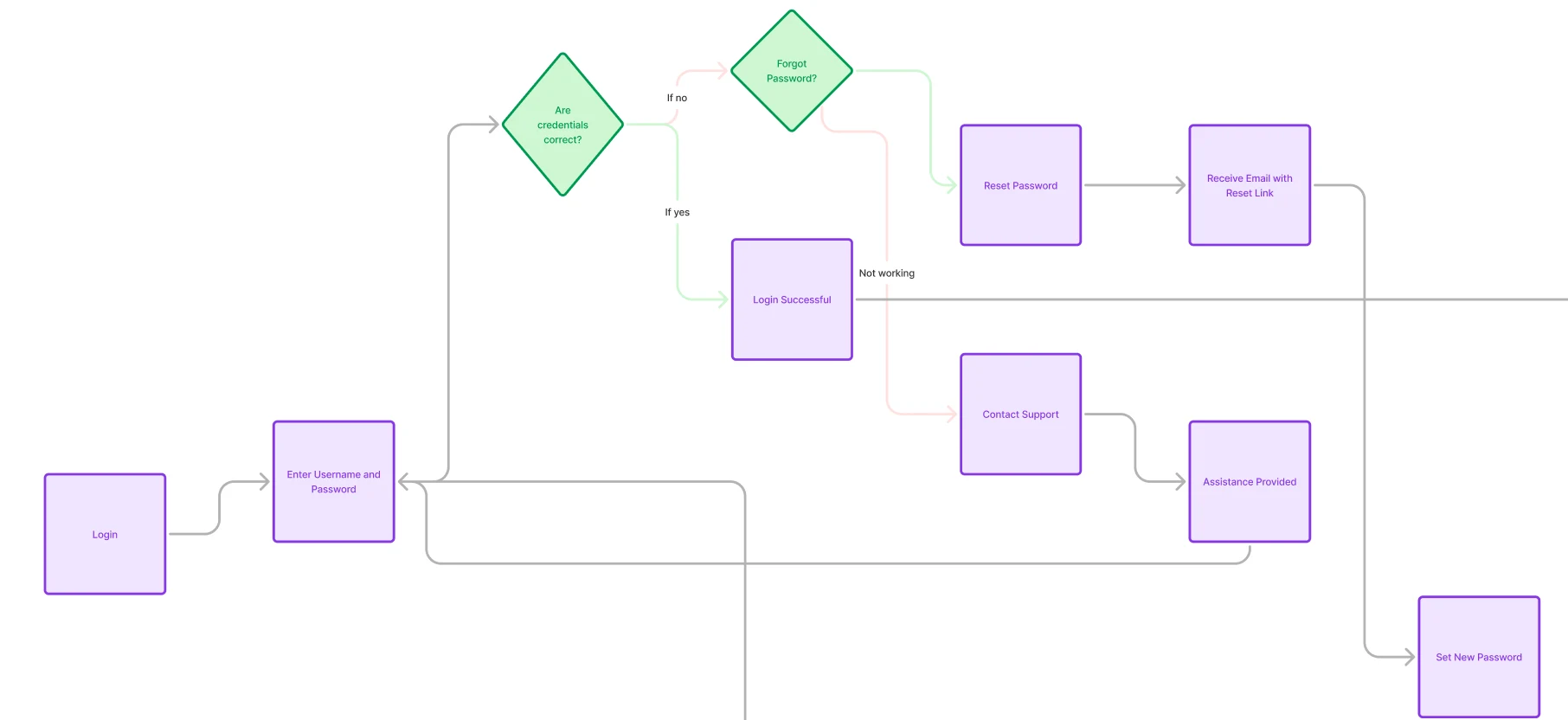
A route and navigation app for drivers, with login and password-reset flows and turn-by-turn route screens that support rest-stop priority and arrival. Its users are drivers and admins.
02Role
I was the lead designer on the app.
03Solution
Route screens
- Drivers choose a route priority, such as rest-stop priority, and see drive and walk times together.
- A clear next-turn card shows the current step and the one after it.
- An on-your-way sheet gives the next instruction and distance.
- On arrival, the app says the next location is ready and offers a single button to start routing.
- Drivers can open the route in another maps app from a simple menu.
Login
A login flow covers sign-in, a check of the credentials, and recovery through password reset or contacting support.
04Result
Delivered to developers.